
Beta opening soon · Join the list
For you, not your child.
Snap a photo of the problem, get the method and the questions to ask, and keep the answer hidden until you need it.
Works on iPhone and Android. No app store needed.
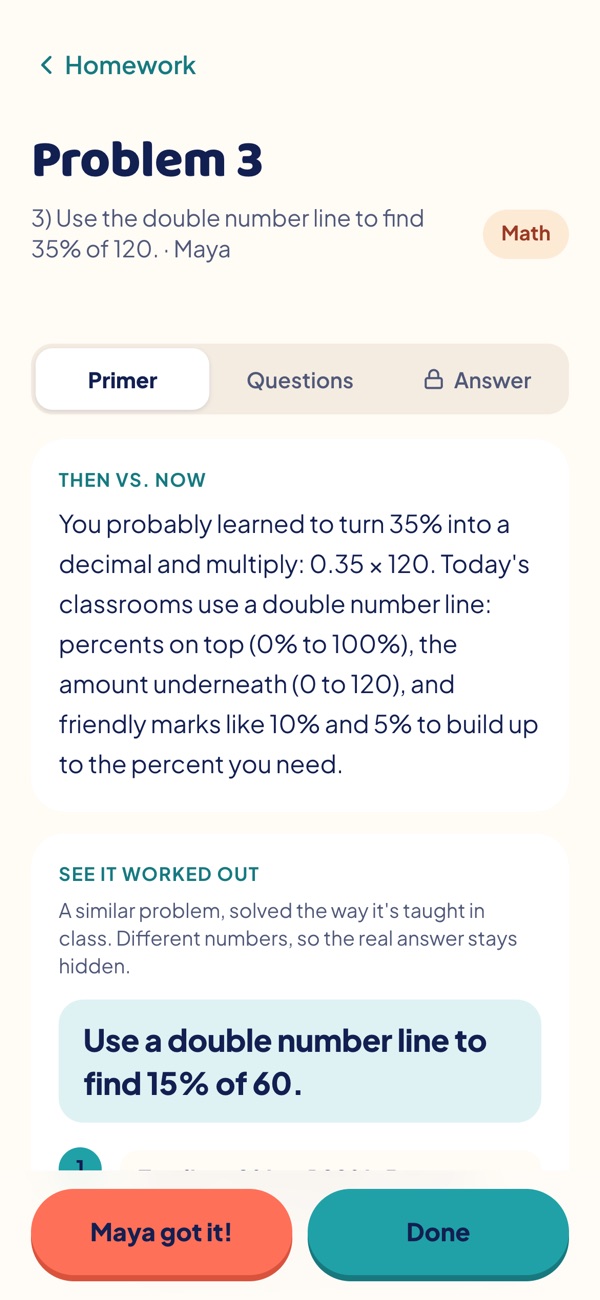
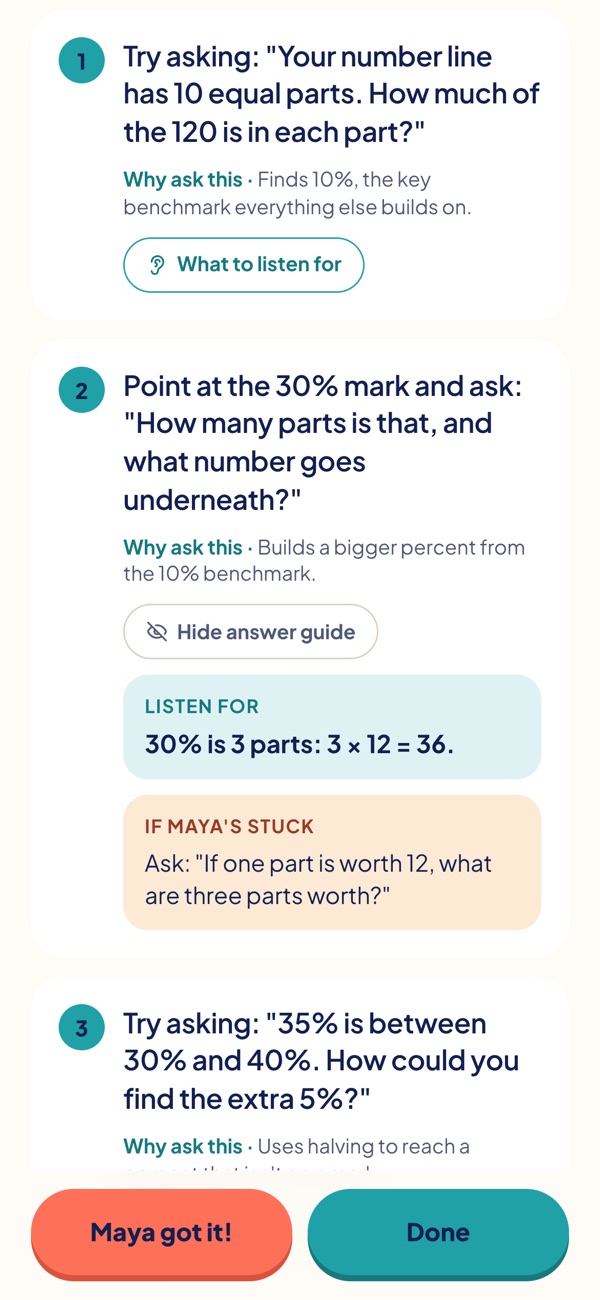
If you remember the method, you don’t need us. This is for the moment you’re both stuck.
Sound familiar?
You want to help. Homework doesn’t make it easy.
Area models, number lines, completing the square: today’s methods can look nothing like the ones you remember.
Giving the answer feels like help, but tomorrow’s quiz won’t come with you sitting next to them.
Algebra 1 was a long time ago. Coachuddle catches you up in about 30 seconds.
Homework shouldn’t end in a fight. Coachuddle makes you the calm voice at the kitchen table.
Why I built Coachuddle
“When my daughter got stuck on a math problem, a tutor wasn’t the answer — and Google had answers but no guidance. So I built the guidance.”
How it works
A quick huddle before you sit down together
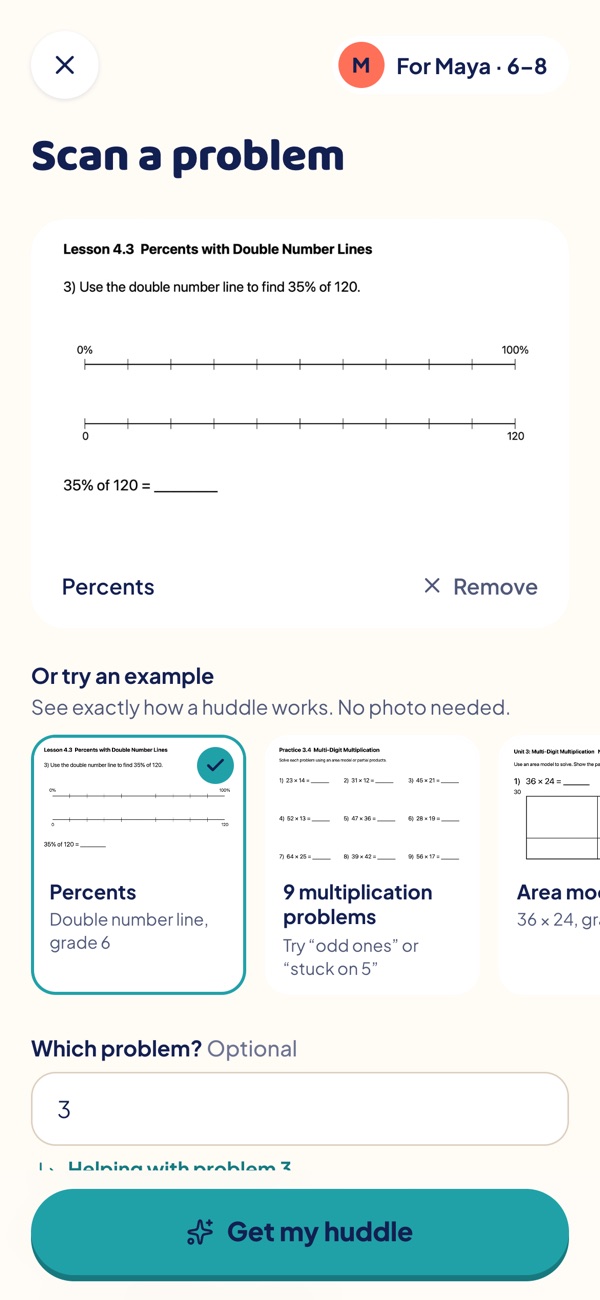
Snap the problem
Take a photo of the worksheet and say which problem.
- “Stuck on 5” or “just the odd ones” works too.
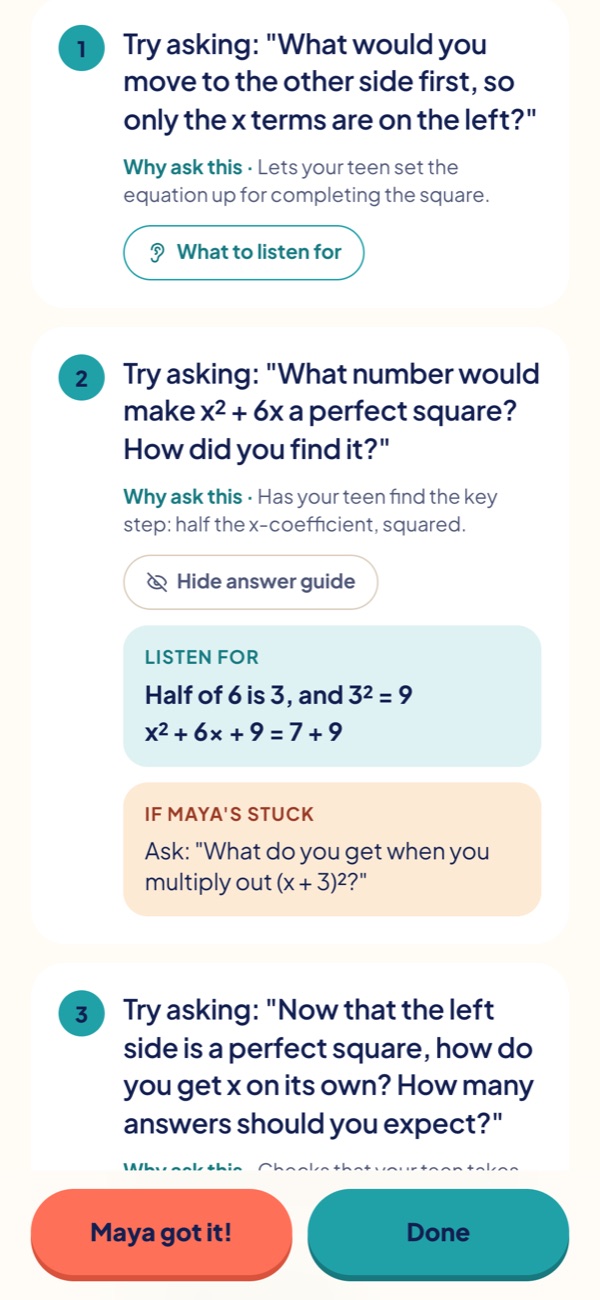
Get your huddle
The method in 30 seconds, a worked example, and three questions to ask.
- A 30-second primer: how it’s taught now, and why.
- A worked example with different numbers, step by step.
- Three questions to ask, with what a good answer sounds like and what to say if your child is stuck.
- Still stuck? Another way in for common problems, like thinking in money or drawing it as a square, with fresh questions.
- The answer stays hidden until you tap, safe from over-the-shoulder glances.
Practice and check
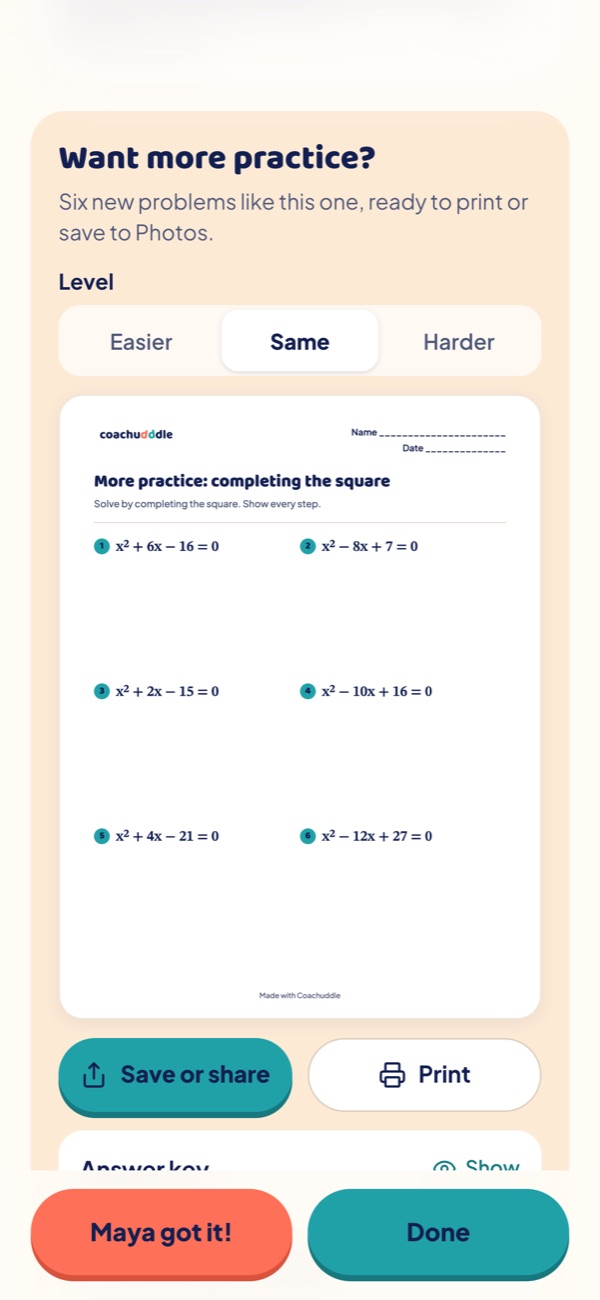
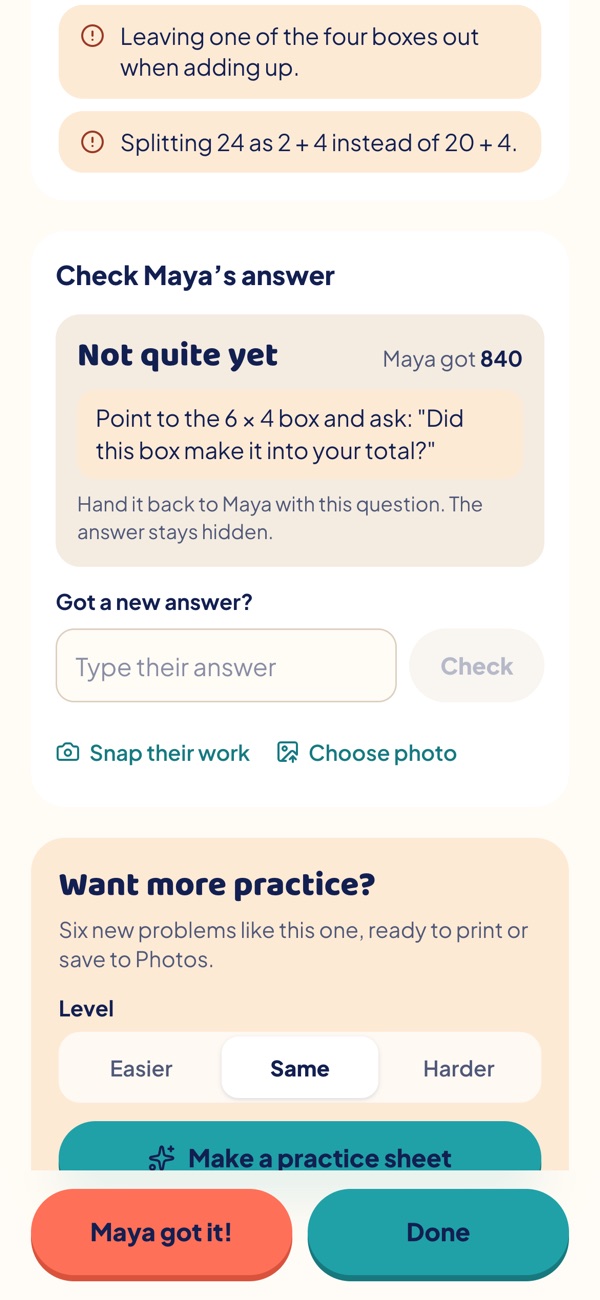
Six problems at the right level, plus checking their work with the answer hidden until you tap.
- Six new problems like the one they just worked through, ready to print or save to Photos.
- Easier to build confidence, the same to make it stick, or harder when they’re ready for a stretch.
- An answer key just for you, hidden until you tap.
- Type or snap their answer, on the homework itself or on a finished practice sheet.
- Right? Celebrate, and it’s marked as solved.
- Not quite? You get a question that points to the step that slipped, like a missed box in the area model, so they find it themselves.
You stay in control
- The answer stays hidden until you tap.
- You ask the questions, your child finds the answer.
- You see the method first, so you can explain it.
Who it’s for
From times tables to trigonometry
Written for each age, so the questions sound right for a 4th grader and for a teen.
The new ways of doing math
Area models, partial products, number lines and fractions.
Where it starts to get tricky
Percents, ratios and equations — tape diagrams, double number lines and first algebra.
Math you last saw years ago
Algebra 1 and 2 and trigonometry.
For schools and PTAs
Are you a teacher or PTA?
Share Coachuddle with families. Beta access is free for families during the beta. Share the signup link on this page.
Beta
Secure your family’s spot.
We’re inviting a small group of families to try Coachuddle on real homework as soon as the beta opens.
- Free during the beta
- Early access to new features
- A direct line to the people building it
Reading and science are on the roadmap — beta families hear first.
We’ll only use your email for beta invites and updates. Privacy
What happens next: we’ll email you as soon as your beta invite is ready.
You stay the coach.
Questions
Good to know
Does it just give my child the answer?
No. Coachuddle is for you, the parent. It explains the method and gives you questions that lead your child to the answer. The answer is there for you to check against, hidden until you tap it.
What does it cost?
Nothing during the beta. After beta, Coachuddle becomes a paid subscription for parents. Beta families hear the price first, well before anything changes.
Do I need a credit card?
No. Just your name, your email and two quick questions. Leave the list anytime.
Which subjects and grades does it cover?
Math, kindergarten through 12th grade — from times tables to trigonometry. Reading and science are coming soon; join the beta list and we’ll tell you when they land.
Do I need to download an app?
No. Open Coachuddle in Safari or Chrome and add it to your Home Screen. It opens full screen, just like an app, on iPhone and Android.
What do you need to know about my child?
Only their grade. A first name is optional and makes the questions feel personal. Coachuddle never asks for a last name, school or birthday. Coachuddle is for you. Your child never logs in and never sees the answer key.
I’m a teacher or PTA. Can I share this with families?
Yes. Beta access is free for families during the beta. Share the signup link on this page.
Stuck together tonight?
Secure your family’s spot in the beta. Free during the beta, no credit card.
Join the beta